How it works
- Choose your locked PDF.
- Type the password you know.
- Tap "Unlock" and download.
Good for
- An e-Aadhaar or e-PAN a form won't accept locked
- A bank statement you need to send on
- Merging or compressing a locked PDF
From the makers of these tools
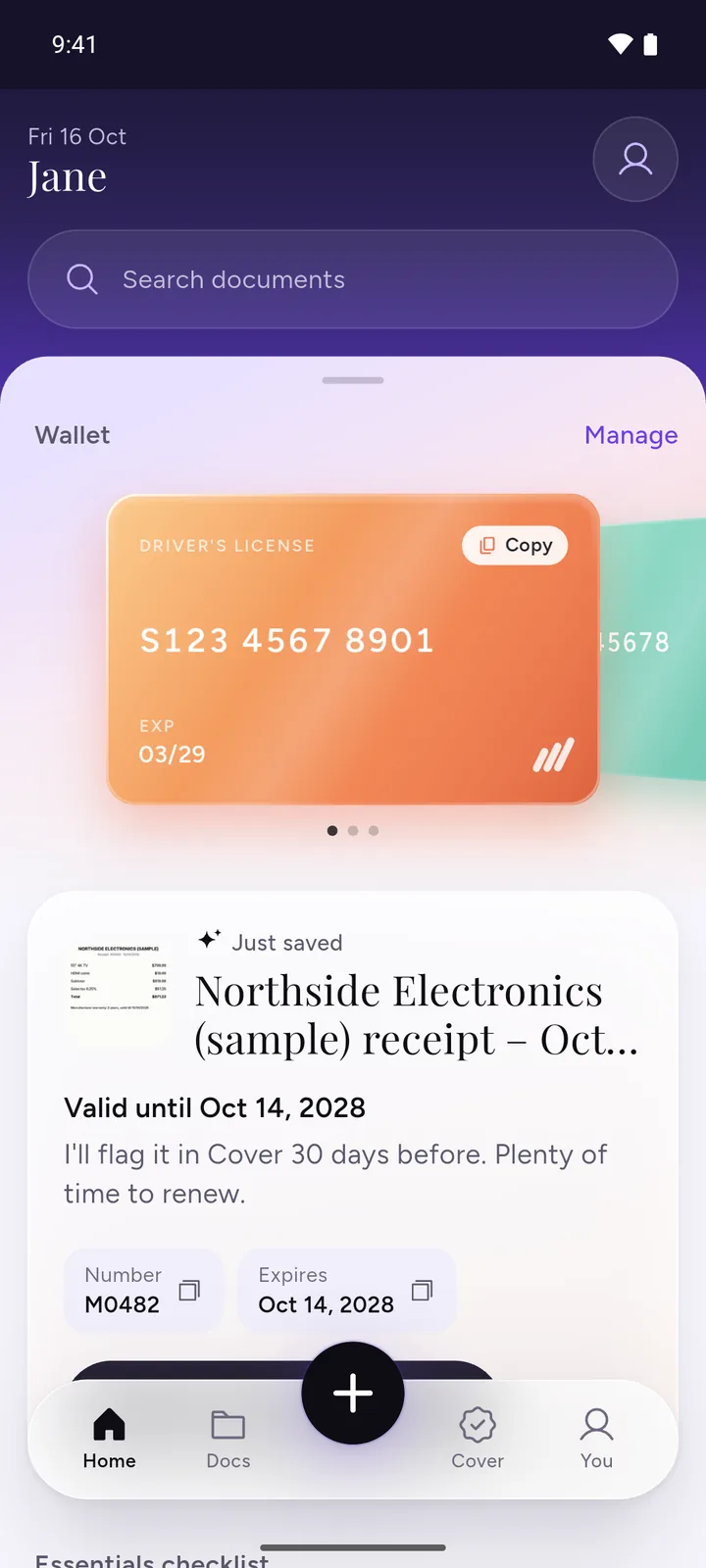
All your documents, safe on your phone
IDs, insurance, bills and warranties in one app, with a reminder before anything expires.
- ScanPoint your camera. It crops the page for you.
- RememberReminders 30, 7 and 1 day before expiry, once you turn them on.
- PrivateEncrypted on your phone. No ads, no sign-up.
 Download DocIt free
e-Aadhaar and e-PAN passwords
An e-Aadhaar's password is the first 4 letters of your name in CAPITALS plus your year of birth, for example SURE1990. Our Aadhaar password guide covers names with spaces, dots or fewer than 4 letters. Need a fresh e-Aadhaar first? See our Aadhaar card download guide. The unlocked e-Aadhaar is no longer UIDAI's signed file. Keep the original if you need the signature verified.
An e-PAN's password is your date of birth as DDMMYYYY, for example 15031990. That's how Protean, the government's authorised PAN agency, explains it. If it doesn't work, check the email that came with your e-PAN.
What happens to your PDF
This page runs qpdf, a long-standing open-source PDF tool, inside your browser tab. It opens the file with your password and writes a copy without it, named after your file with "-unlocked" at the end. Pages aren't redrawn or compressed, so text stays selectable and images keep their quality. The result shows the size before and after, and your original file isn't changed.
If the PDF also limits printing or copying, the unlocked copy keeps those limits. If it opens without a password, there's nothing to unlock, so you won't get a download. A PDF locked with a certificate instead of a password can't be unlocked here.
It only works when you know the password. It can't find, guess or skip a password you don't have.
Why no upload matters here
A PDF is usually locked because of what's inside: an Aadhaar number, a PAN, a salary slip, a bank statement. To unlock it, a tool needs the file and its password together. A website that uploads your file to unlock it ends up holding both, the document and the one thing that was protecting it. This page never has either. The file and the password stay in your browser tab, and the unlocked copy is made on your own device. Close the tab and both are gone.
On Android, DocIt can do this on your phone. Unlock a PDF you know the password for (like e-Aadhaar or e-PAN) and share it without the password. Get DocIt on Google Play
Questions
How do I unlock a PDF?
Choose the PDF, type the password you open it with, and tap "Unlock". Your browser makes a copy without the password, named after your file with "-unlocked" at the end, and you download it. The copy has the same pages, text and images as the original. You need to know the password. This tool can't unlock a PDF without it.
What is the e-Aadhaar PDF password?
UIDAI sets it as the first four letters of your name in capital letters, followed by your year of birth. For SURESH KUMAR born in 1990, it's SURE1990. If it says the password is not right, our Aadhaar password guide covers spaces, dots, short names and other common mix-ups. The unlocked copy is no longer UIDAI's signed file. Keep the original if you need the signature verified.
What is the e-PAN PDF password?
Your date of birth as DDMMYYYY, with no spaces or slashes. If you were born on 15 March 1990, the password is 15031990. That's how Protean, the government's authorised PAN agency, explains it. If it doesn't work, check the email that came with your e-PAN.
What is the password for my bank statement PDF?
It depends on the bank, and sometimes on the type of statement. Look in the email the statement came with or on your bank's website, or ask the bank. Our guide to bank statement PDF passwords lists the formats that banks publish on their own websites.
I don't know the password. Can you unlock my PDF?
No. This tool only works with the right password, and it can't find, guess or skip one. If someone sent you the file, ask them for the password or for a copy without one. If it's your own document, the place that issued it can usually send it again.
Is my PDF or my password uploaded?
No. The file is unlocked inside your browser tab. Neither the PDF nor the password is sent to us or anyone else.
Will the unlocked PDF look different or lose quality?
No. Only the password is taken off. Pages aren't redrawn or compressed, so text stays selectable and searchable and images look the same. The result shows the file size before and after. If you also need a smaller file, use compress PDF afterwards.
My PDF opens without a password but won't let me print or copy. Can this help?
No. This tool only takes off the password you type to open a PDF. If a PDF opens without one, the tool tells you there's nothing to unlock and offers no download. And if a locked PDF also limits printing or copying, the unlocked copy keeps those limits.
Related tools
- Compress PDF to KBMake a PDF smaller than 100 KB, 200 KB, 500 KB or 1 MB for a form.
- Merge PDFJoin PDFs into one file.
- Split PDFTake out the pages you need.