There is no single bank statement password. Each bank sets its own, and a bank's credit card and account statements can differ. Start with the email the PDF came in, which often says how the password is made. If you know the password, our free unlock PDF tool makes a copy that opens without it, right in your browser, with nothing uploaded.
Every format below was checked on 3 November 2026 against the official page linked beside it.
Bank statement PDF passwords
These are the formats the banks publish themselves. Type letters in capitals where the bank says so, and use the name exactly as the bank prints it on your statement.
| Bank | Statement | Password | Source |
|---|---|---|---|
| SBI | Savings account e-statement asked for by SMS (ESTMT, last 6 months) | The 4-digit code you typed in the SMS. You choose it when you send the request. | SBI page |
| HDFC Bank | Account statement downloaded from the HDFC Bank app or NetBanking | Your numeric Customer ID (the same as your NetBanking numeric User ID). | HDFC Bank page |
| ICICI Bank | Credit card statement | The last 4 digits of your credit card number. ICICI says you can't change or reset it. | ICICI Bank page |
| Axis Bank | Credit card e-statement | The first four letters of your name in CAPITALS, as on your statement (skip spaces and dots), followed by four digits of your date of birth. If that fails, try the same four letters followed by your nine-digit Customer ID. | Axis Bank page |
| IndusInd Bank | Savings or current account statement sent by email | The first four letters of your name in CAPITALS, followed by your date of birth as DDMM. For Naresh Kumar born on 15 September 1986: NARE1509. Your 8-digit Customer ID also works. | IndusInd Bank page |
HDFC's own pages explain the Customer ID password for statements you download in the app and in NetBanking. They don't cover HDFC credit card statements, so we haven't listed one.
Banks we couldn't confirm
We couldn't find the password format on the bank's own website for SBI's regular monthly e-statement, SBI Card, Kotak Mahindra Bank, Punjab National Bank, Bank of Baroda, Canara Bank, IDFC FIRST Bank, Yes Bank or Union Bank of India. We also couldn't find it for ICICI and Axis savings account statements. Other websites list formats for these, but they often disagree with each other, so we've left them out.
For these, check the email or your bank's help page. The email that came with the statement may explain the password. If it doesn't, call your bank's customer care number or ask at your branch.
Salary slip PDFs
Salary slips have no standard password. Your employer, or the payroll company it uses, picks the format, so it varies from one company to the next, and some slips have no password at all. The email your slips arrive with often explains it. If it doesn't, ask HR or payroll.
Form 16 and Form 26AS (TRACES)
Form 16 and Form 26AS come from TRACES, the Income Tax Department's TDS website. The TRACES tutorials give these passwords:
- Form 16 and Form 16A: the password is the TAN of the deductor in capital letters. That means your employer's TAN for Form 16, or the TAN of whoever deducted the tax for Form 16A. TRACES gives the example ABCD12345E. If you don't know your employer's TAN, ask HR. (Sources: TRACES Form 16 tutorial, Form 16A tutorial.)
- Form 26AS (your annual tax statement, downloaded through TRACES): the password is your date of birth as DDMMYYYY. For 15 August 1990, type 15081990. (Source: TRACES Form 26AS tutorial.)
If your employer made the Form 16 PDF some other way, its password can be different. Ask HR.
e-PAN
Protean, the government's authorised PAN agency, says the e-PAN PDF password is your date of birth as DDMMYYYY, with no spaces or slashes. If you were born on 15 March 1990, the password is 15031990 (Protean e-PAN guide). If it doesn't work, check the email that came with your e-PAN.
e-Aadhaar
UIDAI sets the e-Aadhaar password as the first four letters of your name in CAPITALS followed by your year of birth. For SURESH KUMAR born in 1990, it's SURE1990 (UIDAI FAQ). Names with spaces, dots or fewer than four letters trip people up. Our Aadhaar password guide goes through each case. Don't have the PDF yet? Our Aadhaar card download guide shows where UIDAI lets you download it.
Mutual fund and demat statements (CAS)
- KFintech CAS: there is no fixed format. You set the password yourself when you ask for the statement on KFintech's website, and you need that same password to open it (KFintech CAS page).
- CAMS CAS: we couldn't read the format on CAMS's own website. Check the email the statement came with, or CAMS's site.
- CDSL and NSDL e-CAS (the monthly statement for your demat account and mutual funds): the password is the PAN of the first or sole account holder, in capital letters (CDSL CAS FAQ, NSDL CAS FAQ).
How to unlock the PDF once you know the password
Some upload forms won't take a locked PDF. To make a copy that opens without a password:
- Open the free unlock PDF tool and choose your locked PDF.
- Type the password you already use to open it.
- Tap "Unlock" and download the copy. It has the same name with "-unlocked" at the end.
The tool works inside your browser tab. The PDF and the password aren't uploaded, which matters for a file that shows your account number and every transaction. The copy keeps the same pages, text and quality, and your original file isn't changed. A few things it won't do. It can't unlock a PDF if you don't have the password. If the PDF opens without a password, there's nothing to unlock. And if the original blocks printing or copying, the copy keeps those limits.
Need the file smaller too, say under 1 MB for a form? After unlocking, run it through compress PDF. The compress tool can also open a locked PDF if you type the password. Its smaller copy turns each page into a picture, so you can't select the text afterwards.
Don't know the password?
The password is there to keep the contents private, and our tool can't open the file without it. These usually work:
- If someone sent you the file, ask them for the password or for a copy without one.
- For a bank statement, read the email it came with, then call your bank's customer care or visit your branch. You can often download the statement again from NetBanking or the bank's app. HDFC, for example, says its downloaded statements open with your numeric Customer ID.
- For Form 16, ask your employer's HR or payroll team for the TAN or a fresh copy.
- For a CAS you asked for yourself, request it again and set a password you'll remember.
Keep the unlocked copy on your phone
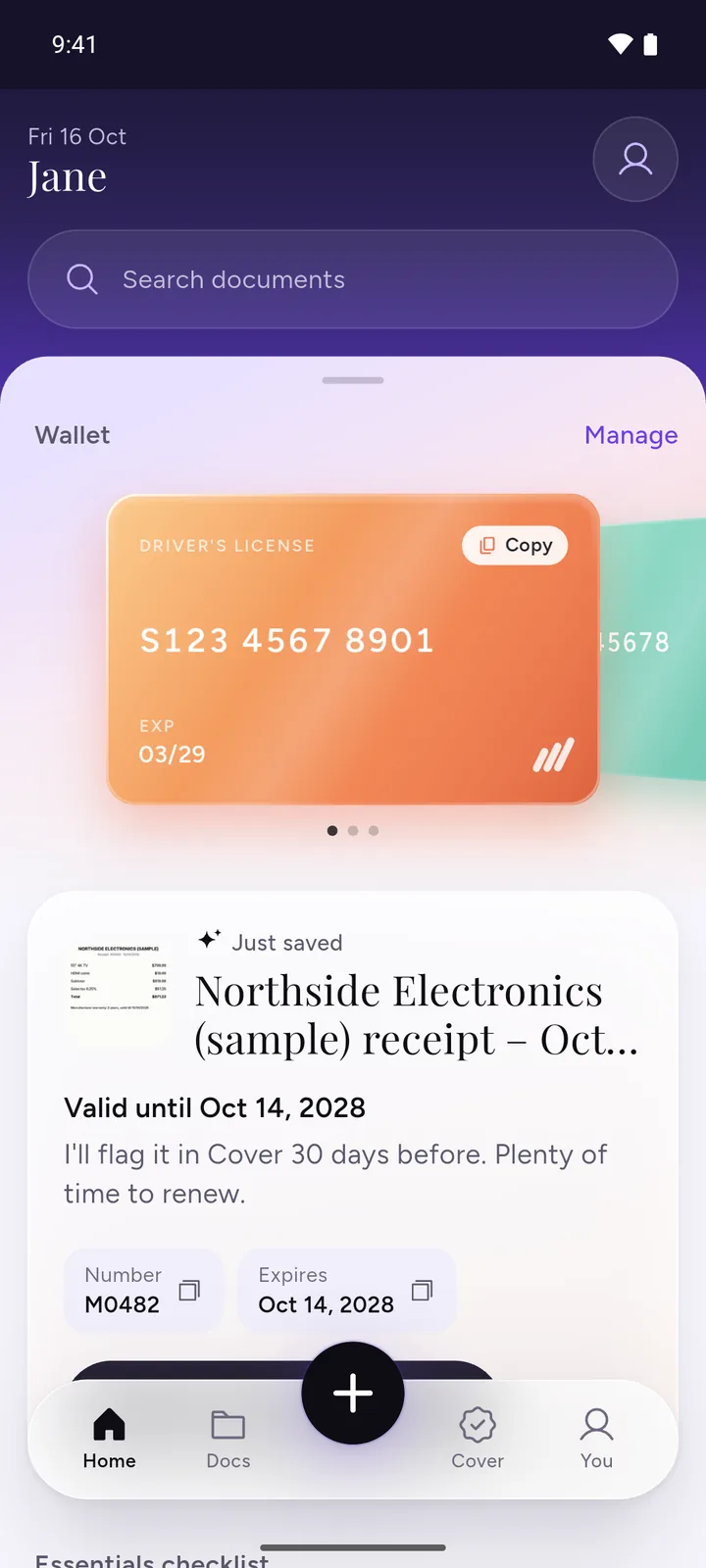
We make DocIt, so weigh this part with that in mind. Statements, Form 16 and e-PAN are documents you often need again, at tax time or for a loan application. With DocIt you can unlock a PDF you know the password for (like e-Aadhaar or e-PAN) and share it without the password. The unlocked copy stays encrypted on your phone, and you can find it later by name.
DocIt is free to download on Google Play, Android only.
Questions
What is the password for my bank statement PDF?
It depends on the bank and on the kind of statement. A credit card statement and a savings account statement from the same bank can use different passwords. The table on this page lists the formats we could find on the banks' own websites. For any other bank, the email that came with the statement may say how the password is made.
Why isn't my bank in the table?
We list a format only when the bank itself publishes it. For Kotak, PNB, Bank of Baroda, Canara, IDFC FIRST, Yes Bank and Union Bank we couldn't find it on the bank's own site, and formats copied from other websites are often out of date or simply wrong. Check the statement email or ask your bank.
Can I unlock a PDF without the password?
Not with our tool. It needs the password you open the file with. If you don't have it, ask whoever sent the file, or ask the bank or office that issued it to send a fresh copy.
Is it safe to unlock a bank statement on a website?
Your statement shows your account number, balance and every transaction, so it matters where the file goes. Our unlock tool works inside your browser: the PDF and the password aren't uploaded to us or to anyone else.
Will the unlocked copy still be accepted?
The unlocked copy has the same pages and text. But some documents, like e-Aadhaar and the NSDL e-CAS, are digitally signed by whoever issued them, and your copy isn't that signed file any more. Keep the original too, in case someone asks for it.
Related
- Unlock PDF: a copy without the password, same pages and quality (you need the password)
- Aadhaar password: open your e-Aadhaar PDF
- Aadhaar card download: get e-Aadhaar from UIDAI
- Compress PDF: a smaller copy under 100 KB, 200 KB, 500 KB or 1 MB
- PAN card: apply online and download e-PAN
- ITR filing: documents required
Sources
All checked 3 November 2026.
- SBI: SBI Quick missed call banking (e-statement by SMS, 4-digit code you choose)
- HDFC Bank: download your account statement in the HDFC Bank app (password is your Customer ID)
- HDFC Bank: download your account statement in NetBanking (numeric Customer ID is the password)
- ICICI Bank: credit card statement online (last 4 digits of the card number)
- Axis Bank support: credit card statements (name in capitals plus date of birth digits, or Customer ID)
- IndusInd Bank: statement of account email (name plus DDMM, or 8-digit Customer ID)
- TRACES: e-tutorial, download Form 16 (TAN in capital letters)
- TRACES: e-tutorial, download Form 16A (TAN in capital letters)
- TRACES: e-tutorial, Form 26AS (date of birth as DDMMYYYY)
- Protean: download e-PAN (date of birth as DDMMYYYY)
- UIDAI FAQs: Aadhaar Online Services (e-Aadhaar password)
- KFintech: Consolidated Account Statement (password you set)
- CDSL: CAS FAQ (PAN in capital letters)
- NSDL: FAQs on CAS (PAN in capital letters)