How it works
- Choose your PDF.
- 100 KB is already picked.
- Tap "Make it smaller" and download.
Good for
- Forms with a 100 KB upload limit
- A one- or two-page certificate or ID copy
- Checking a scan fits before you start the form
From the makers of these tools
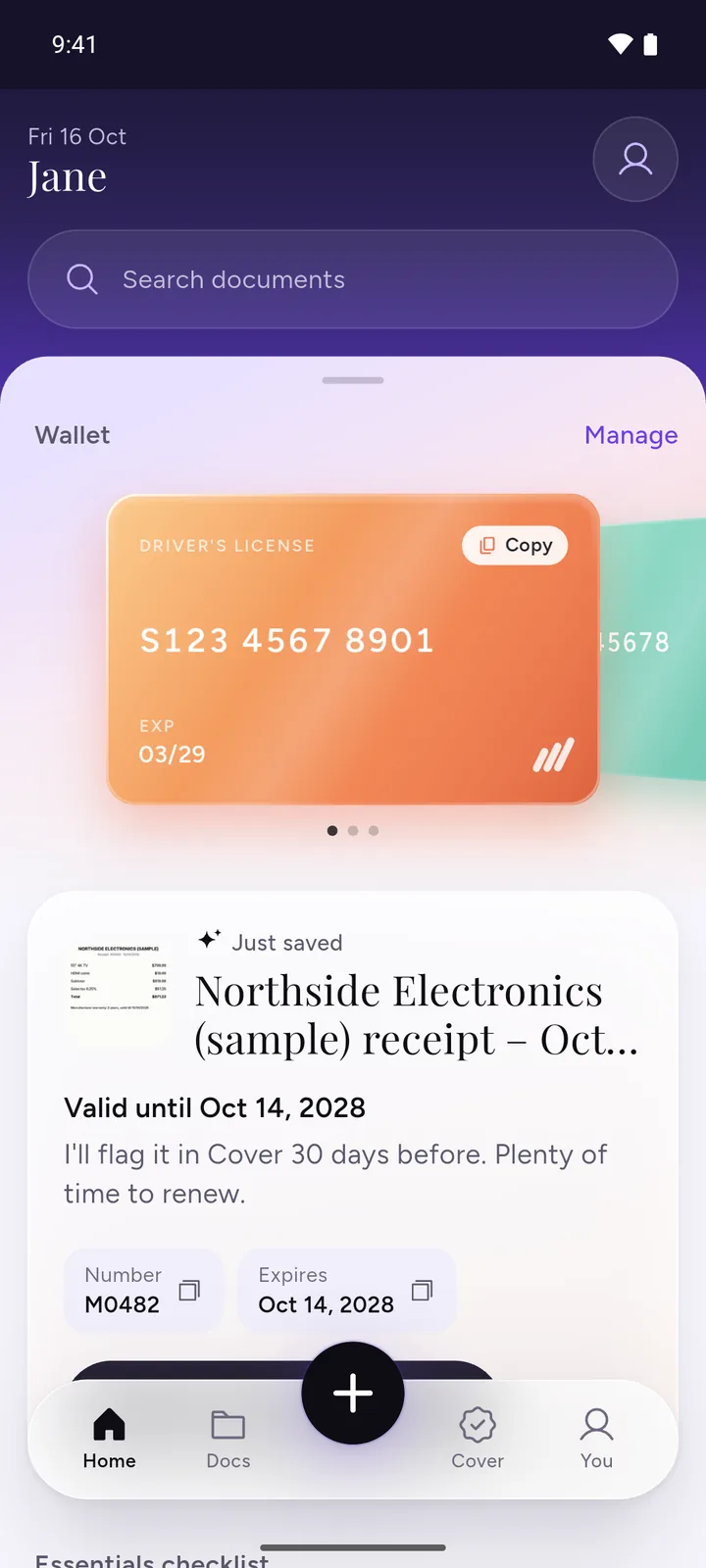
All your documents, safe on your phone
IDs, insurance, bills and warranties in one app, with a reminder before anything expires.
- ScanPoint your camera. It crops the page for you.
- RememberReminders 30, 7 and 1 day before expiry, once you turn them on.
- PrivateEncrypted on your phone. No ads, no sign-up.
 Download DocIt free
Forms that usually ask for 100 KB
Recruitment forms often give each supporting document its own upload box with a small limit. Two examples, read in the official instructions on 3 November 2026:
- AIIMS Rishikesh's instructions for its online job applications ask for the date of birth proof, the category certificate, the no objection certificate and the permanent address proof as PDFs of 100 KB each. Educational and experience certificates on the same form can be up to 500 KB.
- The Puducherry government's Electricity Department, hiring Junior Engineers (Electrical) on contract in 2022, asked for the nativity or residence certificate as a PDF not exceeding 100 KB.
Limits change between notices, and between upload boxes on the same form, so check the notice for the post you're applying for. Your photo and signature usually have their own limits and need a JPG, not a PDF. For those, use Compress image.
How to check the file size on your phone
- On this page, choose your PDF above. If it's already small enough, "Already under" shows next to 100 KB and you don't need to compress it.
- On Android, in Files by Google, tap More next to the file, then File info. In other file apps, press and hold the file and open Details or Info.
- On an iPhone, open the Files app, touch and hold the PDF, and open its info to see the size.
This tool counts 1 KB as 1,000 bytes, like most forms. A phone or computer that counts 1,024 bytes as a KB shows a slightly smaller number for the same file, so a PDF that reads 99 KB there can still be over 100,000 bytes. Go by the size shown here.
If it won't fit under 100 KB
- Send one page. A certificate or ID proof is often a single page. If your scan has more, split the PDF and keep only the page the form asks for.
- Leave out what the form didn't ask for. Blank backs, covers and instruction pages all take space.
- Scan again in black and white if your scanner app has that option. A colour scan of a printed certificate is usually much bigger.
The tool already lowers the sharpness for you, from 150 dpi down to 60 dpi. If 60 dpi is still over 100 KB, it offers that smallest copy and tells you, and fewer pages is the way to get under. If the form allows a bigger file for this document, compress the PDF to 200 KB instead. It will stay sharper.
Need a different size?
You can pick 200 KB, 500 KB or 1 MB in the tool above, or use the general Compress PDF tool, which explains how it gets a PDF under each of these sizes. To take a password off a PDF without making it smaller, use Unlock PDF.
Applying from your phone? DocIt, our free Android app, makes a saved PDF or photo smaller than 100 KB, 200 KB, 500 KB or 1 MB. Text in the smaller PDF becomes part of the page picture. Get DocIt on Google Play
Questions
Is 100 KB here the same as the form's 100 KB?
Yes, and it errs on the safe side. Here 100 KB means 100,000 bytes, the way most upload forms count. If a form counts 1 KB as 1,024 bytes, its limit is 102,400 bytes, so a copy made here fits either way.
Which documents usually have to fit in 100 KB?
Usually single documents with their own upload box, such as a category certificate, a date of birth proof, an address proof or a no objection certificate from your employer. Degree and experience certificates often get a bigger limit on the same form. The form's instructions list the limit for each box.
Will my certificate still be readable at 100 KB?
A one page certificate usually is. The tool starts at 150 dpi and only goes lower when it has to, down to 60 dpi. The result shows the sharpness it used. Before you upload, open the copy and zoom in on the smallest print, like a certificate number or a date.
Why can't I select the text in the 100 KB copy?
To get that small, each page is saved as a picture, so the text becomes part of the page image. You can't select, copy or search it. Your original PDF stays as it was, so keep it.
My PDF has a password. Can I still get it under 100 KB?
Yes, if you know the password. The page asks for it, opens the PDF and makes the smaller copy, which has no password. If you only want the password taken off and the size doesn't matter, use our Unlock PDF tool instead.
Related tools
- Compress PDF to KBMake a PDF smaller than 100 KB, 200 KB, 500 KB or 1 MB for a form.
- Split PDFTake out the pages you need.
- Unlock PDFUnlock a PDF you know the password for, with no upload.