
Why scan offline
Most scanner apps send your pages to their cloud to store or read them. That’s fine for a recipe. It is a lot to ask for your passport, your insurance policy or a medical report. DocIt does the whole job on your phone, so the paper and the copy stay with you.
How it works
- Tap Scan. Google’s on-device scanner finds the document’s edges and crops it straight.
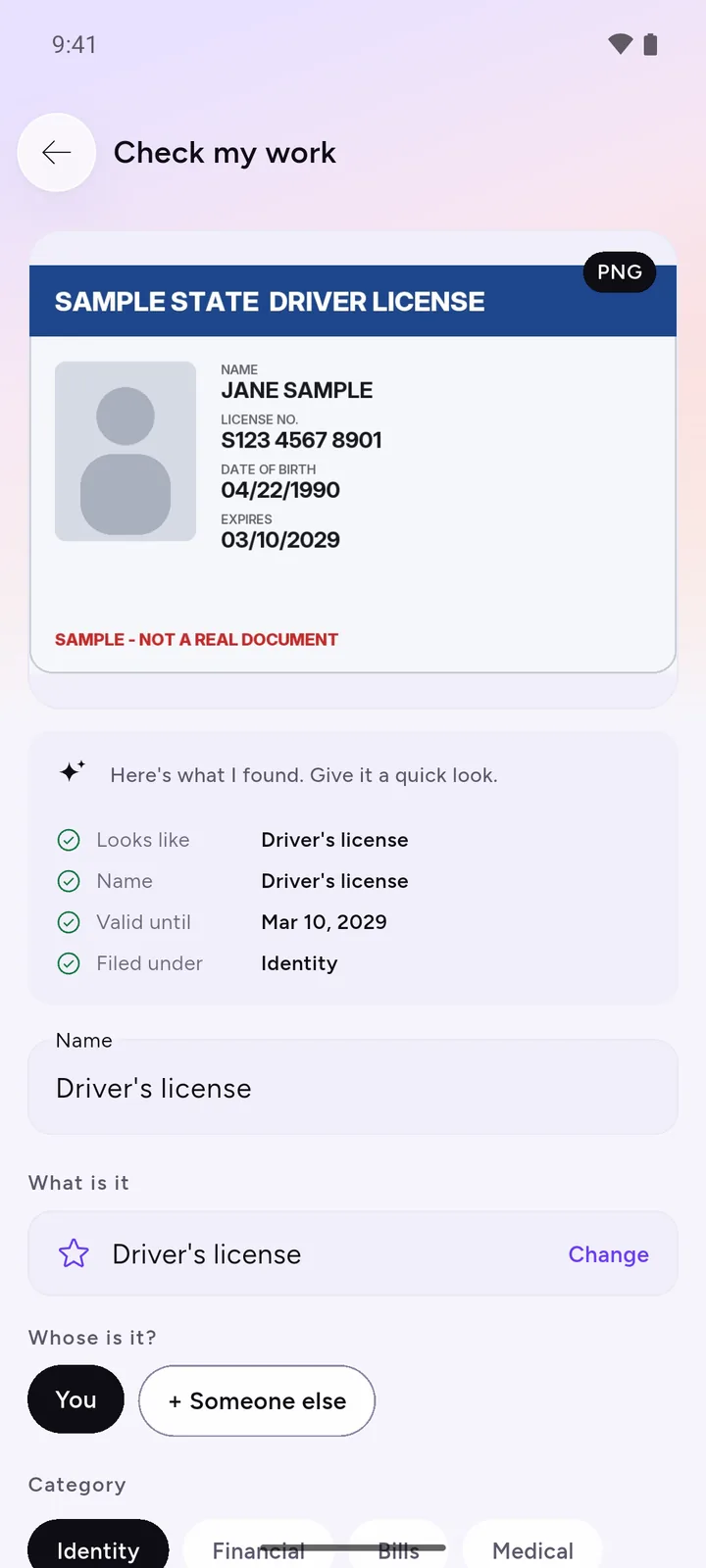
- DocIt’s on-device AI reads the text and fills in the name, ID number and expiry date.
- You check the details and tap Save. The page is encrypted with AES-256 before it is stored.
Already have the document as a photo or PDF? Import it from your gallery or files instead.
For tips on light and flat pages, and the free scanners already on Android, see how to scan documents with your Android phone.
What happens after the scan
This is where a scanner usually stops. In DocIt the document is kept in its category, shows whether it is Valid, Expiring or needs renewing, and turns up when you search for its name or number.
A passport needs more notice than most documents, because many countries want months left on it; here is when to renew your passport.
How DocIt protects your documents · Warranty claims: what to keep · Where to keep documents on your phone · How DocIt compares with other scanner apps · DocIt, Google Drive, Adobe Scan and Files by Google compared
Questions
Does DocIt need internet to scan?
No. Scanning, reading and saving all happen on your phone. The first time, Android may need to download Google’s scanner module once.
Are my scans uploaded to a cloud?
No. DocIt has no server. Scans are encrypted and saved on your phone.
Can I scan to PDF?
Yes. Scan up to 20 pages and DocIt saves them as one PDF, encrypted on your phone. You can also import PDFs you already have, and DocIt reads them too. Password-protected PDFs can’t be read yet.
Where is DocIt available?
On Android, free, in the US, UK, Canada, Australia, New Zealand, Singapore, Switzerland, the UAE, Saudi Arabia, Qatar and India.
Does it work with ID cards?
Yes. DocIt reads ID cards, driver’s licenses and policies and fills in the name, number and dates for you to check. It is not affiliated with any government body.