
Built for the moments you get asked
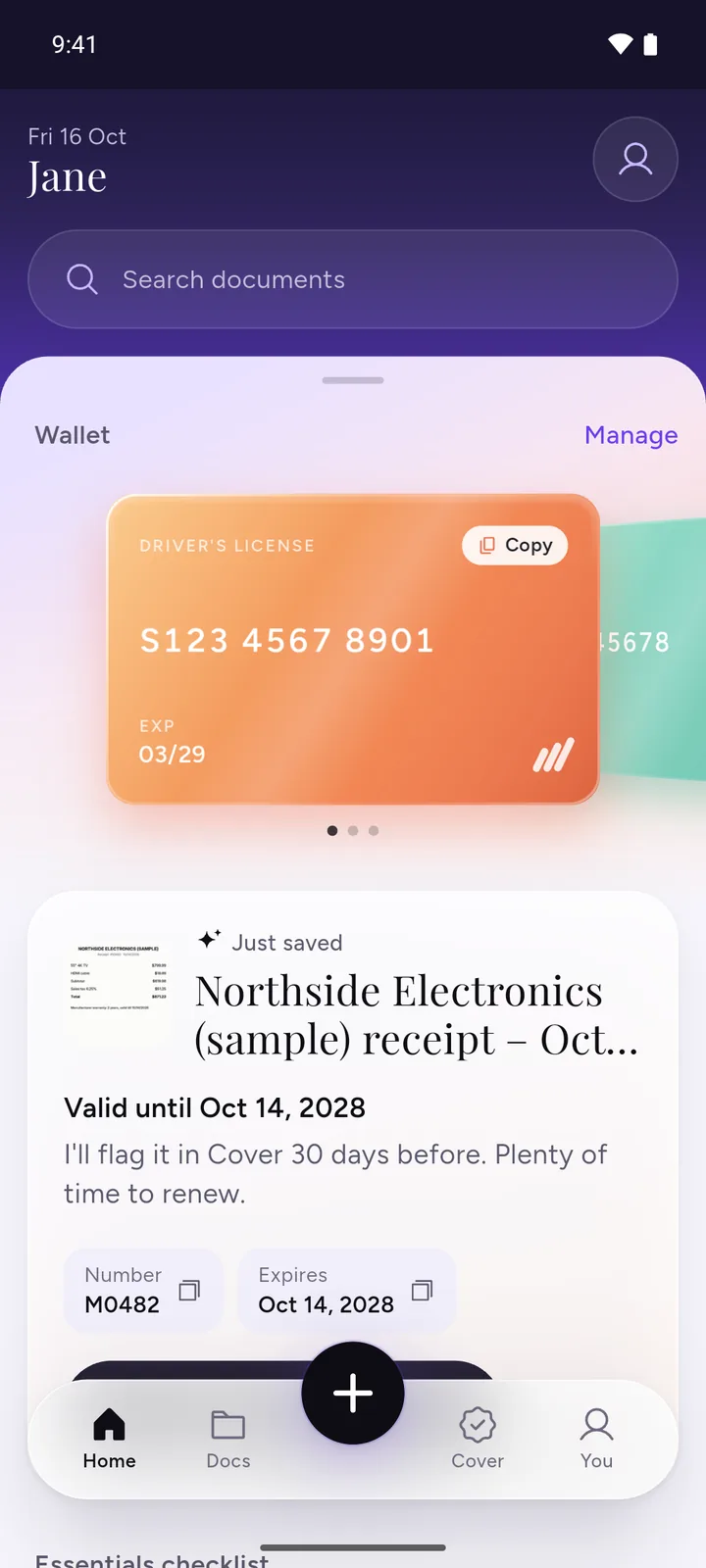
A form wants your ID number. The hospital desk asks for your insurance. A traffic officer wants your registration. These moments are short and stressful, and the paper is rarely in your pocket. DocIt puts the numbers on your phone, encrypted, where you can copy them in a tap.
What to keep in it
- Identity: ID card, passport, residence permit
- Vehicle: driver's license, car registration, car insurance
- Money and health: bank documents, health insurance card, medical records
Organise them in categories, and in folders up to three levels deep.
To get a clean copy of each one, see how to scan documents with your Android phone. Your passport needs the most notice of all: read when to renew your passport before you book a trip.
Private by default
Your documents are encrypted on your phone with AES-256, and the app can be locked with your fingerprint. There is no DocIt account and no DocIt server.
How DocIt protects your documents · Where to keep documents on your phone · Warranty claims: what to keep · Which important documents to keep, and where
Questions
Is a copy in DocIt the same as the original?
No. DocIt keeps copies for your convenience. Some offices only accept originals or official digital copies, so carry those when they are required.
How is this different from an official ID app?
Official apps hold documents a government issues to you. DocIt keeps your own copies of any document you have, including bills, policies, warranties and medical reports, encrypted on your phone. Many people use both.
Does the wallet work without internet?
Yes. Everything is stored on your phone.