Free document app for Android

Never miss what matters in your documents.

Keep your IDs, insurance, bills and warranties on your phone. DocIt fills in the details, reminds you before anything expires and shows what needs your attention. Free, no ads, no sign-up.

  • Free
  • Encrypted on this phone
  • Works offline
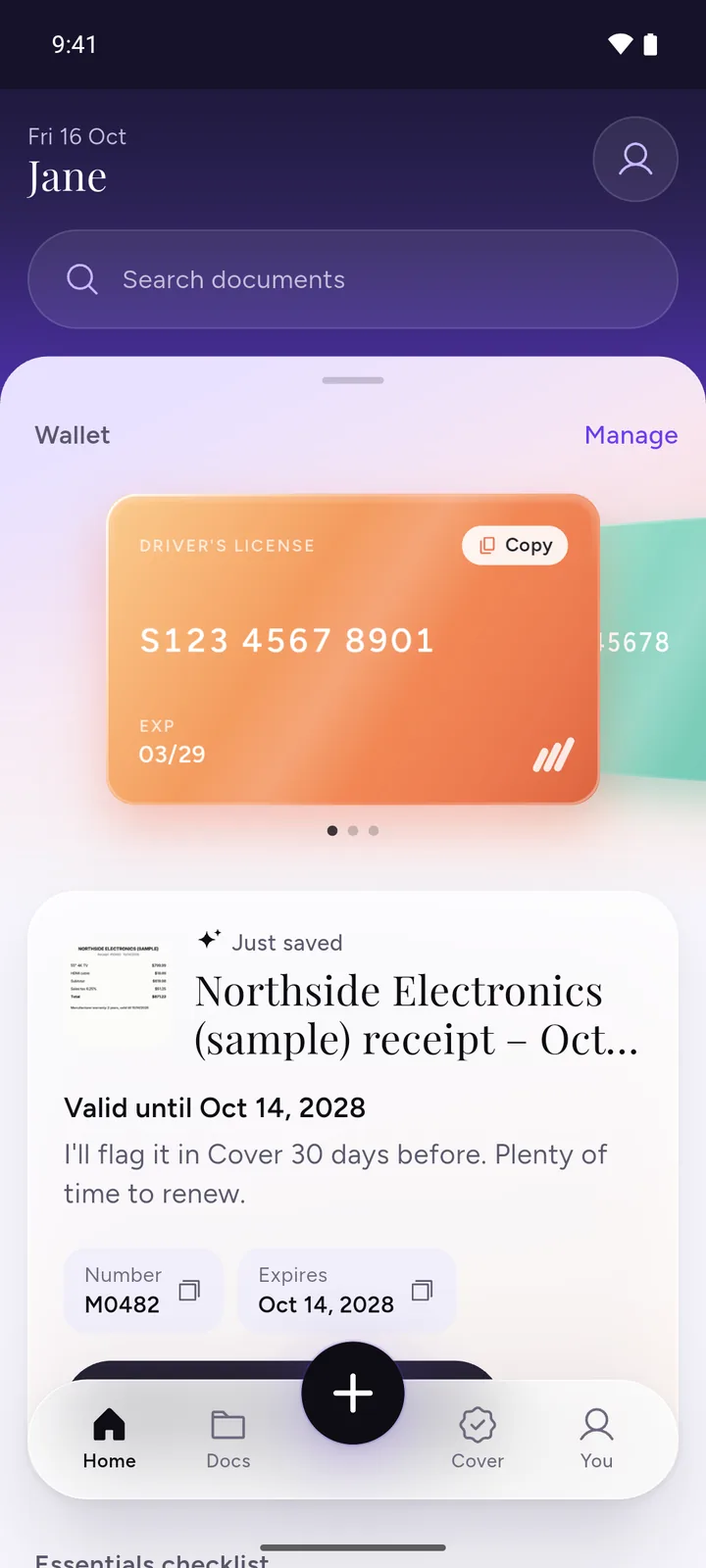
DocIt home screen with a sample driver's license in the wallet and a just-saved receipt, valid until Oct 14, 2028
ID cardPassportDriver’s licenseCar registrationHealth insuranceCar insuranceWarrantyLeaseBank statementMedical reportTax returnReceipt
How it works

Scan once.
Find it forever.

More on the offline AI scanner

  1. 01

    Find any document in seconds

    IDs, insurance, receipts and warranties in clear categories and folders. Search by name or number.

    DocIt My documents library: categories, favourites, recents and warranties
  2. 02

    Your ID number, ready for any form

    Your license, passport and other IDs as wallet cards. Copy a number in one tap, even offline.

    DocIt home with a driver’s license card in the wallet
  3. 03

    Know what you’re covered for

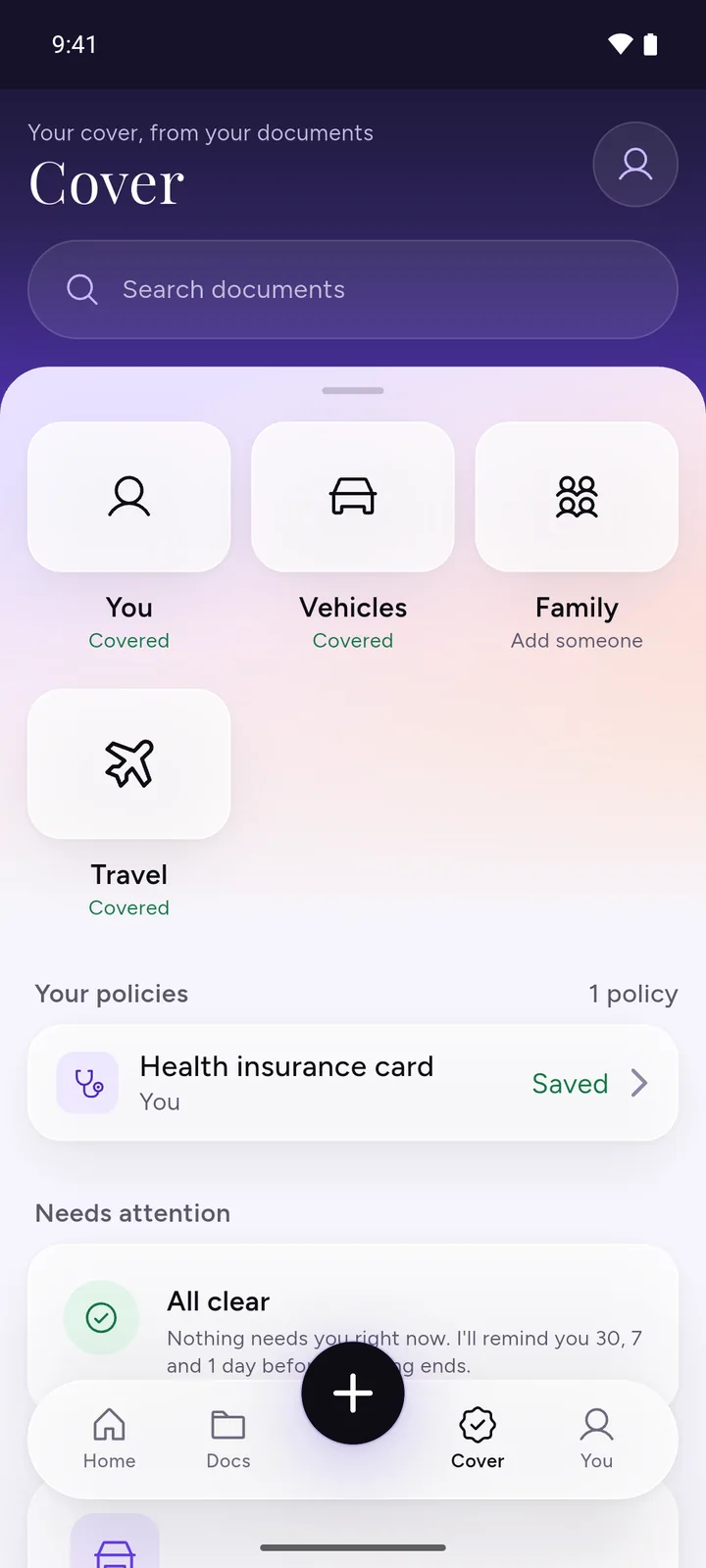
    See your policies, what needs attention and the date to act by, for you, your family and your vehicles.

    DocIt Cover tab with You, Vehicles, Family and Travel tiles
  4. 04

    Add a document in seconds

    Point the camera. DocIt finds the edges and crops it straight. Already have a photo or PDF? Import it.

    DocIt camera finding the edges of a sample health insurance policy
  5. 05

    Clean copies, ready to share

    Crop, rotate, add a filter and clean up stains and fingers. Several pages go into one PDF.

    DocIt edit page with crop, rotate, filter and clean up
  6. 06

    No typing: details filled in

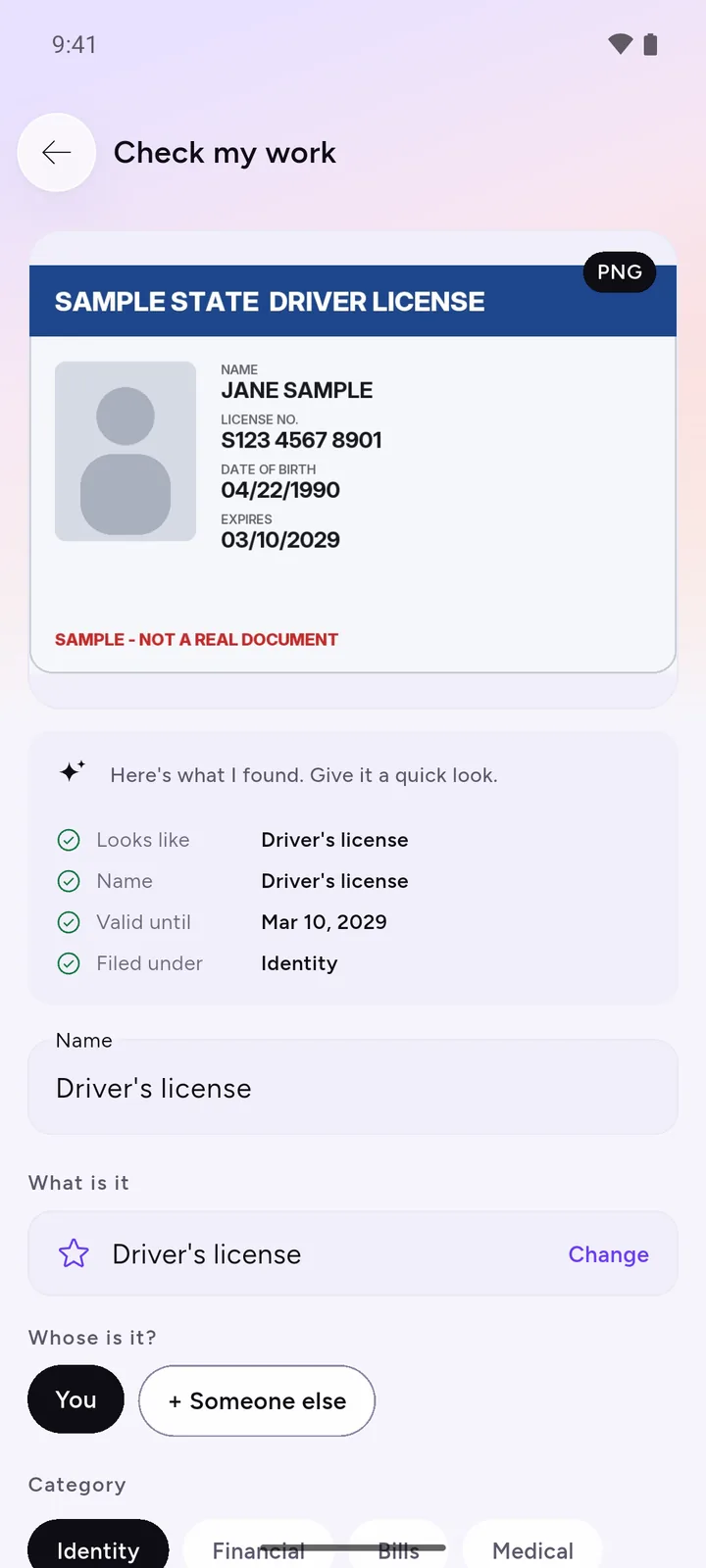
    AI on your phone reads the page and fills in the name, number and expiry. You check them. Your document is never sent to us.

    Fields DocIt read from a sample driver’s license
Next-generation AI

Know what’s in your documents without reading them.

Most apps just store a picture. DocIt reads each document on your phone, fills in the details and tells you what needs attention.

  • Details filled in

    On-device AI reads the text on every page and fills in the name, number, amount and expiry for you to check.

  • Found in seconds

    Search by name, type or number, or browse categories and folders up to three levels deep.

  • Finds the fine print

    On a health or car insurance policy, it shows what the policy promises, like a free health check-up or roadside help.

  • Tells you what needs you

    Your Today card puts the most urgent thing first: what expires soon, what needs a date, what you just saved.

DocIt’s check screen for a sample driver’s license: type, name, valid until, folderThe AI runs on your phone, not in a cloud. Your documents never go to an AI server.

In numbers

Small numbers,
on purpose.

No download counts or star ratings here. Just things you can check yourself in the app.

Everything in one place

Every document your life
runs on, in one place.

IDs, travel and vehicle documents, insurance, bank and medical records, certificates and warranties. Folders up to three levels deep, and no limit on what you save. See the document wallet

Built for real life

Made for the moments
someone asks.

A form, a hospital desk, a traffic stop, a renewal you nearly missed.

If something happens

Lost your wallet?

Every card and document that was in it, with the next step for each. A loss report you can share, numbers masked.

Wallet

ID numbers ready to copy, even offline.

Tap Copy when a form asks for your number. Encrypted on this phone.

Dates

Valid, Expiring or Renew now, in plain words.

Turn reminders on and your phone nudges you 30, 7 and 1 day before.

  • PassportExpires in 57 monthsValid
  • Car insuranceEnds Oct 22, in 6 daysExpiring
  • Vehicle registrationEnded Aug 16Renew now
What your policy promises

Benefits you may already have, with the page to check.

On a health or car insurance policy, DocIt shows common benefits, the page to check and the last day to act.

How it works
  • Free health check-upHealth plan · page 3To confirm
  • Roadside helpCar policy · page 2Act by Oct 22
Free tools

Quick fixes for one file.
Nothing gets uploaded.

Convert, merge or shrink a file right in your browser. No sign-up, no watermark. All free tools

Less paper

Fewer copies.
A lighter footprint.

Every print and photocopy takes trees, water and energy to make. With your documents on your phone, the original stays in the drawer and the copy goes by message. Fewer prints, fewer trips to the copy shop, less carbon.

401 million tonnes

of paper and paperboard were made around the world in 2023.

Source: FAO, 2024

Privacy

Encrypted on this phone.
Never on our servers.

There is no DocIt account and no DocIt server, so there is nothing of yours for us to lose, sell or hand over.

Read how it works
DocIt home screen in dark theme
AES-256
Every document is encrypted before it is saved. The key stays in your phone’s keystore.
No server
Your documents are never sent to us, so they can’t leak from us.
No account
No email, no phone number, no password. Lock it with your fingerprint.
No ads
No ads and no analytics of our own.
Questions

Asked and answered.

Is DocIt available globally?

Yes. DocIt is on Google Play in the United States, the United Kingdom, Canada, Australia, New Zealand, Singapore, Switzerland, the UAE, Saudi Arabia, Qatar and India, for Android phones. In the US, UK, Canada, Australia and India it uses local document names and date order; elsewhere it uses general ones, so check dates it fills in. It is not in the EU or on the App Store yet.

Is DocIt free?

Yes. Scanning, storing your documents and the wallet are free.

Does DocIt use AI? Where does it run?

Yes. DocIt’s AI runs on your phone. It reads your documents, fills in details such as the name, ID number and expiry date for you to check, and shows dates and, on insurance policies, common benefits. Your documents are not sent to any cloud AI.

Where are my documents stored?

On your phone, encrypted. They leave it only when you share one, or if you turn on backup to your own Google Drive.

What if I lose my phone?

Your documents are encrypted and DocIt can be locked with your fingerprint or PIN, so a lost phone is not an open folder.

Does it work offline?

Yes. Scanning, reading and finding your documents all happen on the phone, with or without internet.

Is DocIt a government app?

No. DocIt is independent and isn’t affiliated with any government body. It keeps your own copies of your documents.

Which documents can it read?

Printed text in English and other Latin-script languages: IDs, licenses, policies, bills, certificates. Other scripts are not supported yet.

Is there an iPhone app?

Not yet. DocIt is on Android, on Google Play in the US, UK, Canada, Australia and seven more countries.

Still curious? Write to hello@docit.one. Used the old DocIt? Here is what changed

Never miss what matters.

Free on Android. Private from the first tap.

DocIt Cover tab