Open the compress PDF to 100 KB tool in your phone's browser, choose the PDF (100 KB is already picked) and tap Make it smaller, then download the copy. The same tool has 200 KB, 500 KB and 1 MB. Your file isn't uploaded and you don't need to sign up. If a PDF with many pages won't go under 100 KB, send only the pages the form needs with the split PDF tool, or scan again in black and white.
Compress a PDF to 100 KB in your phone's browser
- Open docit.one/tools/compress-pdf-to-100kb in Chrome or any browser on your phone.
- Tap Choose PDF and pick the file. You can pick it from Downloads or any other folder. If the PDF has a password, type it when asked.
- Under "Make it under", tap 100 KB. If the file is already small enough, you'll see "Already under" next to that size.
- Tap Make it smaller. The tool tries the sharpest copy first and keeps the first one that fits. A long PDF can take a minute on an older phone.
- Look at the result. It shows the size before and after, the number of pages and the sharpness it used. Tap Download.
- Open the downloaded PDF and zoom in. If you can't read the smallest number on the page, the person checking your form can't either.
To get under the size, every page is saved as a picture. The text becomes part of that picture, so you can't select or search it in the smaller copy. Links and fillable fields don't carry over. Your original file stays as it was.
200 KB, 500 KB and 1 MB
The steps are the same. Only the size you tap changes.
- 200 KB is the size the tool picks for you at the start. It gives a one or two page certificate more room than 100 KB, so it stays sharper.
- 500 KB gives a few pages room to stay clear. Use it when the form allows 500 KB, or when 200 KB makes a multi-page PDF hard to read.
- 1 MB suits longer scans, such as a rent agreement or a bank statement, where 100 KB would leave each page too little room.
Always pick the largest size the form allows. A bigger limit means a sharper copy. If the form gives a range, such as 50 KB to 300 KB, pick the preset just under the top number (200 KB here).
Which forms ask for these sizes
The limit is usually printed next to the upload button or in the notice. Three examples from official sources:
- NEET (UG) 2026. The NTA information bulletin asks for the category certificate, Class X certificate, Class X marks sheet and address proof as PDFs between 50 KB and 300 KB each. Use the 200 KB preset. There is a lower limit too, so don't go smaller than you need.
- GST registration. The GST portal's registration guide allows PDF or JPEG files up to 1 MB for the proof of the principal place of business and the proof of appointment of the authorised signatory. Photographs there are limited to 100 KB.
- A state recruitment form. Puducherry's Electricity Department, hiring Junior Engineers on contract in 2022, asked for the residence certificate as a PDF no larger than 100 KB.
Limits change from year to year, so check the notice for the form you're filling. Photo and signature limits are often separate from document limits and usually ask for JPG, not PDF. For those, see photo resize for online forms.
For the bigger picture, see our study of upload limits on 50 official portals.
How to check a file's size on your phone
- In the compress tool. The result shows "Before" and "After". That number is the size of the file you download.
- In the Files app. In Files by Google, press and hold the PDF, tap the three dots and choose File info. On a Samsung phone, open My Files, press and hold the PDF and tap Details.
- In Chrome's downloads. Tap the three dots, then Downloads. The size shows under each file name.
Here 1 KB means 1,000 bytes, the way most upload forms count. A computer that counts 1,024 bytes as a KB shows a slightly smaller number for the same file. Either way, a copy made for 100 KB fits a 100 KB limit.
If it won't go under 100 KB
Every page needs some space, even at the lowest sharpness. If your PDF still doesn't fit, the tool tells you and offers the smallest copy it could make. Try these, in this order:
- Send fewer pages. A form that wants your address proof may only need the page with the address. Take that page out with the split PDF tool (pick the pages, or choose "Every page as its own PDF"), then compress the smaller file. If the form has an upload box for each document, split the PDF into one file per document.
- Scan in black and white. Colour scans are usually much bigger than black and white ones, and a printed certificate rarely needs colour. Most scanner apps have a black and white or greyscale filter. Scan the page again with it, make the PDF, then compress.
- Lower the scan quality and crop. If your scanner app has a quality setting, pick a lower one. Crop tight so the document fills the page, with no table or floor around it. The steps in image to PDF for forms show how to build a PDF to a size budget from photos you've already shrunk.
- Try a bigger size. If the form also accepts 200 KB or 500 KB for that document, use it. A sharper copy is less likely to be rejected for being unreadable.
Doing it in the DocIt app
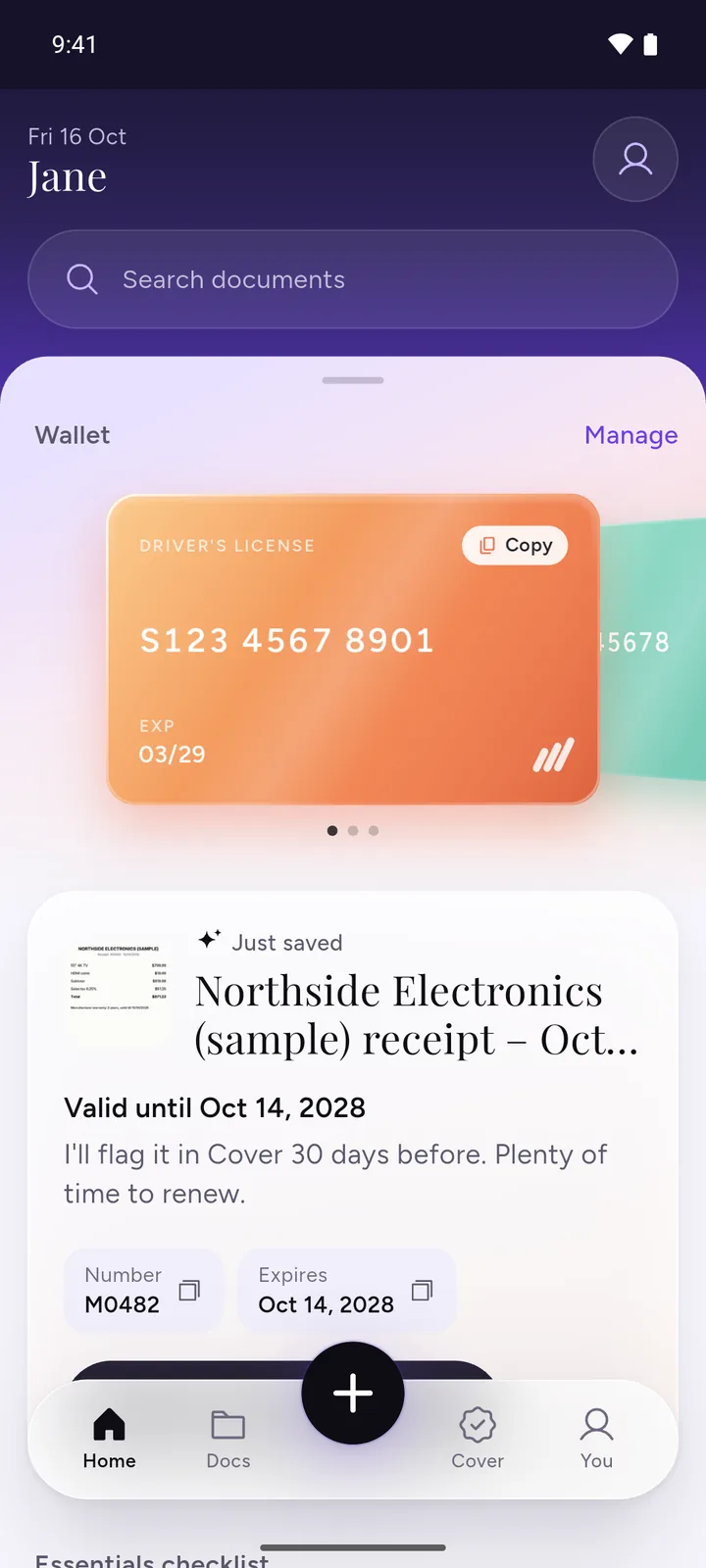
We make DocIt, so keep that in mind as you read this part. DocIt is a free Android app for keeping your documents on your phone, and it can make a saved PDF or photo smaller for upload forms.
- Add the PDF to DocIt from your gallery, Files or Google Drive, or share it into DocIt from WhatsApp, Gmail or Files.
- Open the document, tap the More button and choose Make it smaller.
- DocIt shows the size it is now. Pick Under 100 KB, 200 KB, 500 KB or 1 MB.
- Share the smaller copy straight to the form, save it to your phone, or keep it in DocIt next to the original.
The app has only those four sizes. Text in the smaller PDF becomes part of the page picture, so it can't be selected. If no step fits, DocIt says so, shows the smallest size it could make and suggests a bigger size or splitting the pages. Split PDF is in the same menu. DocIt is free on Google Play, on Android.
Questions
Can I compress a PDF to 100 KB without an app?
Yes. Open the compress PDF to 100 KB tool in Chrome on your phone, choose the PDF (100 KB is already picked) and tap "Make it smaller". The PDF is made smaller inside your browser and isn't uploaded.
Why does my PDF look blurry at 100 KB?
To fit, each page is saved as a picture at a lower sharpness. The tool starts at 150 dpi and goes down to 60 dpi only if it has to. A one-page certificate usually stays readable. A long PDF squeezed into 100 KB may not. Zoom in on the copy before you upload it.
Can I still select the text after compressing?
No. The text becomes part of the page picture, so you can't select, copy or search it. Your original PDF doesn't change, so keep it.
Why does the same file show a different size on my computer?
Some devices count 1 KB as 1,000 bytes and some as 1,024, so the number changes a little. The compress tool counts 1,000 bytes, so a copy made for 100 KB is at most 100,000 bytes and fits a 100 KB limit counted either way.
The form says between 50 KB and 300 KB. Which size do I pick?
Pick 200 KB. That keeps the file under the top limit. Then check the "After" size is above 50 KB, since a form with a range also rejects files that are too small.
Can I compress a password-protected PDF?
The web tool asks for the password and opens it. The smaller copy has no password, so be careful who you send it to.
Related
- Compress PDF to 100 KB and to 200 KB, or 500 KB or 1 MB, in your browser
- Split PDF: keep only the pages the form needs
- Image to PDF for forms: photos of documents into one PDF under a size limit
- Photo resize for online forms: your photo and signature at the exact KB size
How we checked: the form limits above were read in each official notice on 3 November 2026. The tool steps were checked against the tool's code and live page on the same day, and the DocIt steps against the app's code.