
An OCR scanner turns the picture of a page into text you can copy. OCR stands for optical character recognition: the phone looks at the shapes on the page and works out the letters. It saves you from typing out a long policy number, an address from a letter or a paragraph from a scanned notice, and making a typo halfway through.
DocIt does this on your Android phone. Open a saved document, tap Copy text, and the words appear in a box you can select from or copy in one go.
How to copy text from a scan, photo or PDF
- Get the page into DocIt. Scan it with the camera, import a photo or PDF, or share it in from another app.
- Open the document.
- Tap Copy text. DocIt reads the page on the phone, which can take a moment for a long PDF.
- Press and hold to select just the part you need, or tap Copy all.
- Paste it wherever it's going: a form, an email, a note or a chat.
For a PDF with several pages, the text comes page by page, with each one labelled, so you can find the page you want. DocIt shows a reminder above the text to check numbers before you use them. Do that: a 0 read as O, or a 1 read as l, is easy to miss.
It already reads when you save
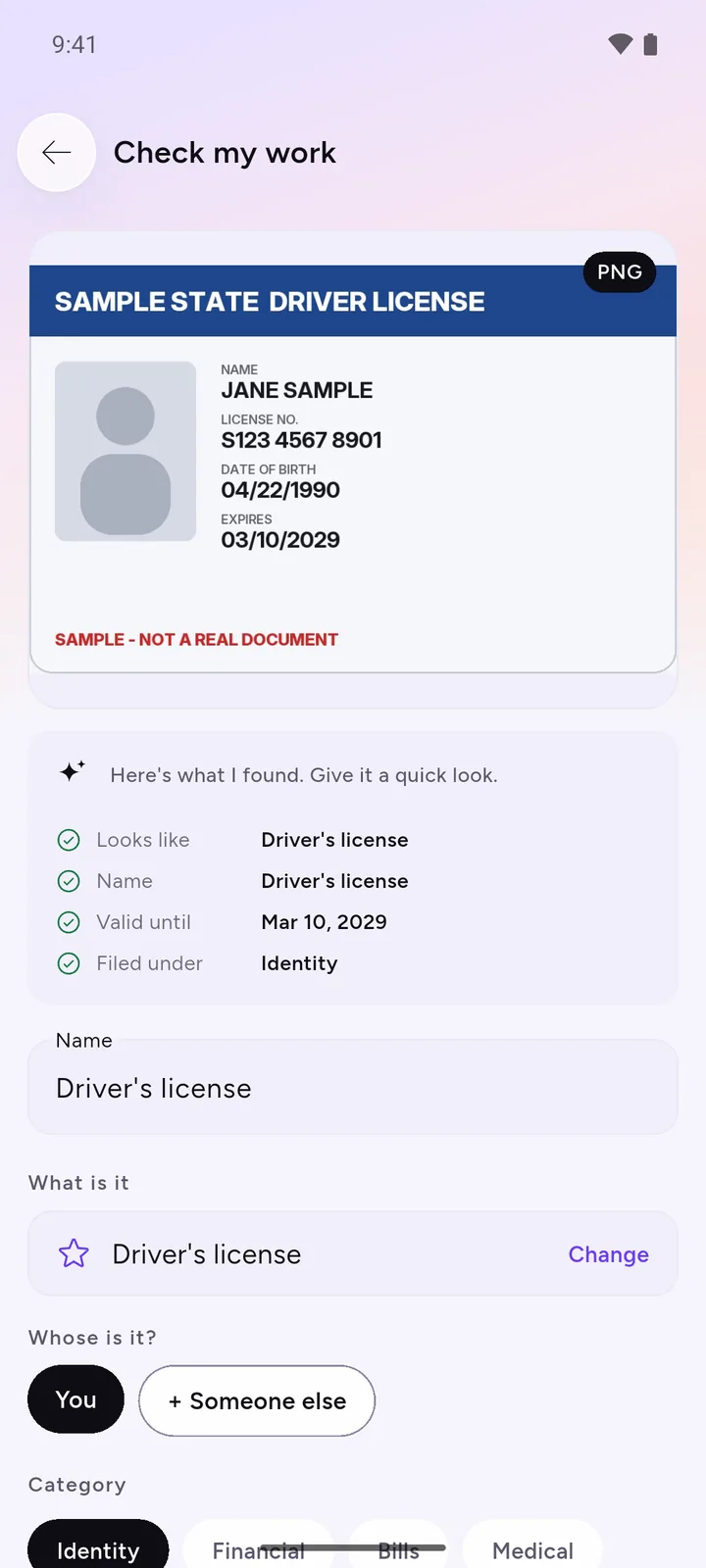
You may not need Copy text for the details that matter most. When you save a document, DocIt reads it on the phone and suggests a name, the ID number and the expiry date, for you to check before saving. Those details then sit with the document, and your own ID numbers can be copied with one tap from the wallet. The document wallet page shows how that works for Aadhaar, PAN, a licence and a passport.
Getting a cleaner read
- Light and angle: scan in daylight or under a bright lamp, holding the phone flat above the page. Shadows and tilted pages cause most misreads.
- Use the scanner, not a casual photo: DocIt's scanner finds the edges, crops and cleans the page, which gives the reader sharper letters to work with. More on that in how to scan documents on Android.
- Printed text reads best: handwriting, stamps and very small print often come out wrong or not at all.
- Copy before you shrink: if you use Make it smaller on a PDF, its text becomes part of the page picture. Copy what you need from the original first.
Other OCR options, and when they're better
- Google Lens is on most Android phones and copies text straight from the camera or a photo, in many more languages than DocIt, including Indian scripts. If you just need a line of text once and don't want to keep the document, use Lens.
- On a computer, Google Drive can open a PDF or image with Google Docs and turn it into editable text. That suits a long document you want to edit as a whole.
- Searchable PDFs (a PDF where you can search for any word) need a desktop PDF tool. DocIt doesn't make them.
DocIt is the better fit when the page is one you'll need again, such as an ID, a policy or a bill. It keeps the document encrypted on your phone, lets you copy from it whenever you need to, and can remind you before its end date once you turn reminders on.
Limits worth knowing
- Latin letters only: English and languages written like it. No Hindi or other Indian scripts.
- It copies text; it doesn't translate it, export a Word file or make the PDF searchable.
- DocIt runs on Android only.
- Files are encrypted on your phone with AES-256. Names, numbers and dates sit in the app's database without that extra layer. How DocIt protects your documents.
Copy text sits next to DocIt's other document tools. To mark up a PDF, see the PDF editor app. DocIt is free on Google Play.
Questions
Can DocIt read Hindi or other Indian scripts?
No. It reads English and other languages written in Latin letters. For Hindi, Tamil or other scripts, Google Lens is the better choice.
Will it turn my PDF into a Word file?
No. It shows the text so you can copy it and paste it into Word, Docs, a form or a message. It doesn't create a Word file or change the PDF.
Can I search my documents for a word inside them?
No. DocIt's search finds a document by its name, description, type or number, not by the words on its pages.
Does the text get uploaded to read it?
No. DocIt reads the page on your phone. Your documents never reach us: our only server receives anonymous usage counts.
Why does it say it couldn't find any text?
The page may be blurred, too dark, handwritten or in a script DocIt can't read. Scan it again in good light, or try a clearer copy.