
If you lose your wallet in India, block your debit and credit cards first, in your bank's app or on its helpline: under RBI's rules, the faster you report, the less you can lose. The same day, lock your Aadhaar biometrics on UIDAI's website or app, and block your SIM if your phone is gone too. Then file a police report and keep a copy, because you'll need it to replace documents such as your RC and voter ID.
Last checked 17 October 2026 against the official sources listed at the end of this page.
Before you start: rules, forms and fees change, and many of them vary by state. Treat this as a checklist, and check the official site linked at each step before you apply.
Step 1: Block your debit and credit cards (right away)
This comes first because cards can be misused within minutes. Do it even if you think the wallet is only misplaced. You can ask the bank for a new card later.
- Use your bank's app or net banking. Most banking apps have a block or hotlist option for each card. It's usually the fastest way.
- Or call the bank's helpline. The number is on the bank's website and on your statements. RBI tells banks to offer round-the-clock ways to report, such as a website, phone banking, SMS, email, IVR or a toll-free helpline.
- Note the complaint or reference number the bank gives you, with the date and time.
- Check your SMS alerts and statements for anything you didn't do, and report it to the bank straight away.
Why speed matters: RBI's liability rules
RBI's rules on unauthorised electronic banking transactions link how much you can lose to how quickly you report:
- If the fraud wasn't your fault or the bank's, and you report it within three working days of the bank's alert, your liability is zero.
- If you report it within four to seven working days, your liability is capped. The cap is the transaction amount or a fixed limit of Rs 5,000, Rs 10,000 or Rs 25,000 depending on the type of account, whichever is lower.
- If you report it after seven working days, your bank's board-approved policy decides how much you bear.
- If the loss happened because you were careless, for example you shared your PIN or card details, you bear the loss until you report it. After you report, the bank bears any further loss.
Once you report, the bank should credit the disputed amount to your account within 10 working days, and settle the complaint within 90 days.
If money has already been taken through online fraud, you can also report it on the national cyber fraud helpline, 1930, or at cybercrime.gov.in.
Step 2: Lock your Aadhaar biometrics (same day)
Your Aadhaar card on its own doesn't let someone take money. But locking your biometrics is free, takes a few minutes, and closes one route for misuse.
- Lock biometrics on UIDAI's website or in UIDAI's Aadhaar app. Once locked, your fingerprint, iris and face can't be used for Aadhaar authentication by anyone, including you.
- You need your registered mobile number to use this. If your number isn't linked to Aadhaar, you'll have to visit an enrolment centre.
- Unlock it only when you need it. When you have to use your fingerprint somewhere, you can unlock temporarily on the website, in the app, or at an enrolment centre or Aadhaar Seva Kendra.
You don't need to wait for a new card. You can download e-Aadhaar from the myAadhaar portal or the Aadhaar app. UIDAI says e-Aadhaar is a digitally signed copy and is equally valid as the physical card. It opens with a password: the first four letters of your name in capitals, followed by your year of birth.
Step 3: Report the loss to the police (within a day or two)
A police report won't usually bring the wallet back, but you'll need its copy for several of the steps below. Ask for a copy, and keep the number.
- Online, where your state allows it. Some state police websites let you file a lost-article report online and download it. Delhi Police, for example, has a Lost/Found Article Report system. Search your state police website for "lost report".
- At the police station covering the area where you lost it, if there's no online option or if you think the wallet was stolen.
Write down what was in the wallet before you file: each card, each ID, and roughly how much cash. A clear list makes the report quicker and more useful.
Step 4: Block your SIM, if your phone went too
If your phone was in the same bag or pocket, block the SIM through your mobile operator (call their helpline from another phone, or visit a store). Your bank OTPs go to that number, so this is as urgent as blocking cards.
You can also block the handset itself on the government's Sanchar Saathi portal, using "Block Your Lost / Stolen Mobile Handset". Blocking the phone makes it harder for anyone to use, and the portal can help trace it.
Step 5: Apply for a duplicate driving licence (within a few weeks)
Driving licence services are online on the Sarathi portal, where you pick your state first.
- Parivahan's guidelines say a duplicate licence is issued when the licence is lost or destroyed. The application is in Form 2, with the prescribed fee.
- Upload or attach a photocopy of your licence if you have one.
- If the form asks for a photo and signature, Sarathi's upload guide (as of 19 October 2026) says each must be a JPG between 10 and 20 KB. Our free compress image tool can bring a phone photo under 20 KB without uploading it.
- States add their own steps and documents. Keep your police report ready in case your RTO asks for it.
Step 6: Apply for a duplicate RC (within a few weeks)
Vehicle services, including a duplicate registration certificate, are on the Vahan portal, again state by state. Parivahan's guidelines for a lost RC are:
- Report the loss to the police station where it happened, and tell the registering authority that issued the RC in writing.
- Apply to the last registering authority in Form 26, with the fee.
- Documents include the police certificate for the loss, a valid PUC certificate, valid insurance, and, depending on the case, proof of address, a PAN copy, a pencil print of the chassis and engine numbers, and an affidavit that the RC is lost and hasn't been impounded. Commercial vehicles need challan and tax clearance too.
Step 7: Reprint your PAN card (whenever convenient)
Your PAN number doesn't change. You only need a new card, and you apply through the agency that handled your latest PAN application:
- Protean (formerly NSDL e-Gov): its reprint service is for PANs whose latest application went through Protean, or that came through the Income Tax Department's Instant e-PAN facility. It uses Aadhaar-based verification.
- UTIITSL: its reprint service is for PANs that UTIITSL processed and dispatched, or that came through Instant e-PAN.
Both charge Rs 50 for delivery in India (Rs 959 abroad), and send the card to the address on the Income Tax Department's latest records. Both services are for a reprint only; if any details need changing, that's a different application.
Step 8: Replace your voter ID (whenever convenient)
Apply on the Election Commission's voters portal using Form 8 and choose replacement EPIC. The Form 8 guidelines say that for a lost card you submit a copy of the FIR or police report.
Quick reference
- Cards: block now, in the bank app or on the helpline.
- Aadhaar: lock biometrics the same day.
- SIM and phone: block now if your phone is gone too.
- Police report: file within a day or two, and keep copies.
- Driving licence and RC: apply for duplicates on Sarathi and Vahan.
- PAN and voter ID: reprint or replace when you can.
After it's sorted
Keep the police report, every reference number and the new cards' details together for a few months, in case a bank or office asks. If the wallet turns up later, tell the police station so the report can be closed, and remember that blocked cards stay blocked.
Then make it easier next time: write down your bank helpline numbers somewhere other than your wallet, and carry only the cards you actually use.
How DocIt helps
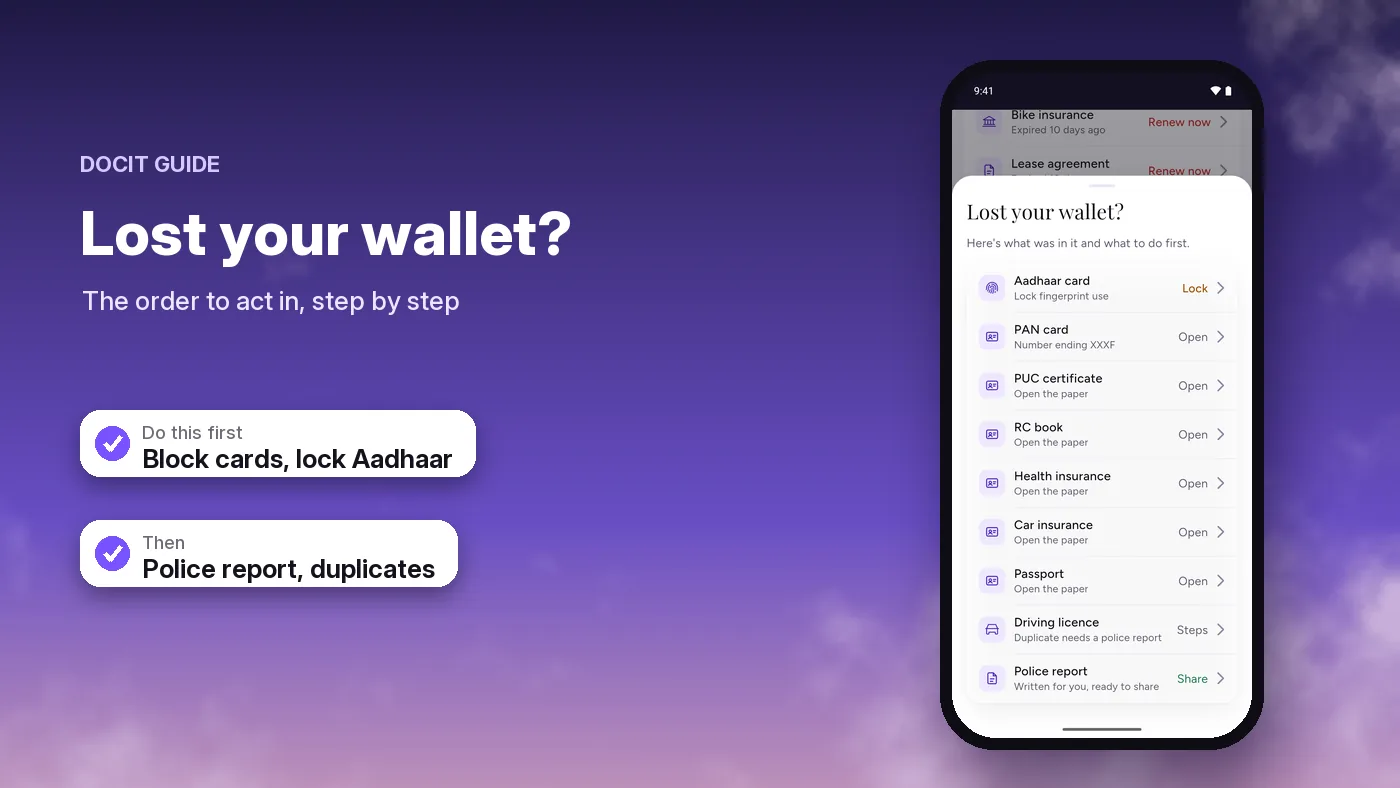
DocIt's "Lost your wallet?" screen lists the next step for each document you've saved in DocIt, opens UIDAI's site so you can lock your Aadhaar, and writes a police-report summary you can share, with your ID numbers masked.
DocIt does not block cards or lock Aadhaar itself. You do that on your bank's or UIDAI's website or app. DocIt keeps copies of your documents encrypted on your phone. These copies are not official documents.
DocIt is free on Google Play in India and 10 more countries, on Android only.
Car documents in India: what to carry · Important documents checklist · Where to keep your important documents on your phone · The DocIt document wallet
Sources
- RBI: Limiting liability of customers in unauthorised electronic banking transactions (6 July 2017)
- National Cyber Crime Reporting Portal
- I4C, Ministry of Home Affairs: national helpline 1930
- UIDAI: Aadhaar online services FAQs (biometric lock, e-Aadhaar)
- UIDAI: Aadhaar app FAQs
- myAadhaar: download e-Aadhaar
- Delhi Police: Lost/Found Article Report System
- Sanchar Saathi: block your lost or stolen mobile
- Parivahan: duplicate licence
- Parivahan: duplicate RC
- Sarathi: driving licence services
- Sarathi: photo and signature scan and upload guide (PDF, checked 19 October 2026)
- Vahan: vehicle services
- Protean: reprint PAN card
- UTIITSL: reprint PAN card
- Election Commission: voters' service portal
- Election Commission: Form 8 guidelines (PDF)